Showing posts with label resources. Show all posts

Monday, October 2, 2017

Use a Virtual Study Skeleton to Learn Bones & Markings

Learning the bones and markings of the human skeleton can be quite a challenge. Most students do their best learning by repeated practice with a study skeleton in the learning lab.

The problem is, one doesn't always have access to study skeletons. Wouldn't it be great if you had a study skeleton anytime you want to spend a few minutes of practice?

A free or "open" learning resource called eSkeletons let's you do that!

This online tool is not exactly a "real" study skeleton, but it's the next best thing. It's an always-on, always-available virtual study skeleton.

Check out my video walk-through to see if this A&P study tool might work you.


Wednesday, January 4, 2017

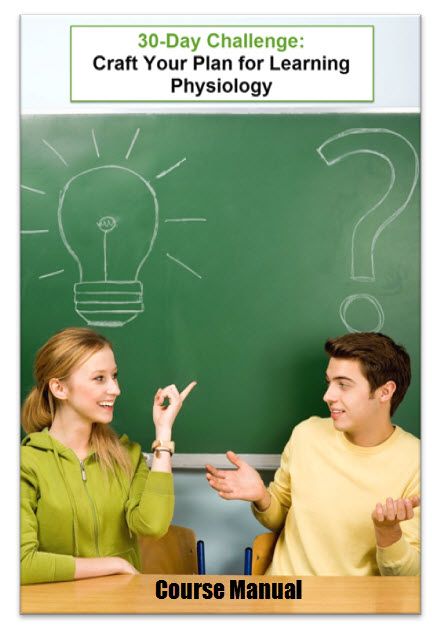
The 30-Day Challenge: Craft Your Plan for Learning Physiology

My friend, Dr. Margaret Reece, is offering a unique "30-day challenge" mini-course in how to succeed in your Anatomy & Physiology course.

Margaret Reece PhD is an educator, scientist  and author whose expertise lies in the area of human physiology. Dr. Reece is presently CEO of Reece Biomedical Consulting LLC, a company dedicated to supporting undergraduate life science and graduate medical students in their efforts to master the complexities of human anatomy and physiology.

What strikes me most about Margaret Reece is her enthusiastic dedication to helping students "get it"—especially when they think they'll never be able to.

If you are interested in learning more about this course, which starts January 9, then click on this link:


And tell Dr. Reece I sent you!

Tuesday, October 7, 2014

Humanatomy


Having trouble learning all those facts about the many bones and muscles of the body?

I recently ran across a great set of resources that help you quickly learn the bones and muscles of the body.  A group called Humanatomy, led by teacher Paula Jaspar, has a YouTube channel loaded with short video clips that quickly help you through the parts of the human body's framework.

And they are putting the finishing touches on an iPad game that helps you learn anatomy in a really fun, multisensory way.  You can get the Humanatomy app when it's ready in a few weeks if you contribute to their Kickstarter campaign.

Learning experts tell us that we learn more efficiently (faster and deeper) if you use multiple senses, if you practice in many short spurts, and if you make a game of it.  The Humanatomy approach incorporates all of these ideas in their resources!

To check out their library of FREE videos go to The Humanatomy Channel on YouTube.

To check out their fun app for learning anatomy, go to the Humanatomy Kickstarter page.

You can learn even more by following the Humanatomy blog, where you can also sign up for their free newsletter with learning tips and follow them on Twitter.

Here are a couple of their videos to get you started:

Bones: Elbow Complex


Muscles: Sternocleidomastoid Muscle


Tuesday, August 26, 2014

Getting a Good Start in your Anatomy & Physiology Course


For those entering the health professions, the human anatomy and physiology course is the arguably the most important—and most difficult—step in their schooling.

To get a good, solid start in A&P, I've pulled together some advice to share with you—things you need to know as you start, so you won't get into trouble you can't get yourself out of.

Learn how to read and raid your textbook

  • You can't just sit down and read an A&P textbook. It's not meant to be read like a novel or magazine. There are steps you need to take to really comprehend the contents, and if you don't take those steps, then you'll be wasting your time.
  • You also need to learn how to raid your A&P textbook.  That means knowing how and where to find information in your book when you need it to solve a problem or clarify something from your class discussion or lab activity.
  • You need to actually use your book.  Many students just set it aside (it looks so big and scary, after all) and never use it to supplement and complement what's going on in other parts of the course.  They often exclaim, "why did I have to buy that thing, when I didn't even use it!"  Yet, by not using it on their own, they are making it much more difficult—and time-consuming—to succeed in their A&P course.  
  • To learn more about how to read and raid your textbook, check out Read and Raid Your Textbook.


Brush up on your study skills

  • Prior to their A&P course, I've found that many students have been successful (or not so successful) in their high-school and college courses by just "winging it." Or by simply taking a few notes in class and reviewing them before a test or exam.  That won't cut it in A&P—no matter how brilliant you are.
  • You need to employ a set of study strategies to be successful.  I've listed just a few of them here, so you have an idea of what I'm saying.  Click on any of the links to find out more.
    • You'll be learning a new language, the language of science and medicine, so learn some basic principles of how that language works.
    • Use flash cards to help you learn new terms right away.  This is a first step before you can master the deep meaning of science concepts.
    • Use concept maps to sketch out the new sets of facts, theories, and principles that you are learning.  By drawing it out, you learn what aspects you've already mastered—and you reveal your weak spots and get them corrected.
    • Use concept lists to help you see connections between concepts you've learned and build a framework for seeing the "big picture" of human structure and function.
    • Manage your time by scheduling several short study sessions every single day. Cramming at the end does not work—and certainly won't prepare you for your later courses, nor your career, both of which rely on a deep understanding of A&P.
    • Study in a group.  Regularly.  Research shows that this is one of the most efficient (time-saving) and effective ways to study pretty much any subject.
    • Take good notes.  If your course involves lectures or online presentations, then take notes.  In lab, take notes.  Reading or raiding your textbook?  Take notes.  Take notes. Take notes.
    • Practice. Practice. Practice.
  • Spend a little time and effort learning effective study strategies. Here are some ways to get started:


Take A&P seriously

An awful lot of students look at the A&P course simply as a hoop that needs to be jumped through—a credential to get down on paper—before getting a degree or certificate needed to start a career.  A more realistic view sees the A&P course as a "first year on the job" experience.  Where you learn most of what you'll need to survive the first day, the next day, and the last day working in your health career.

So, how does one get serious about A&P?  Here are a few tips, with links to more information.
  • Develop habits of professional ethics by acting with academic integrity.
  • Realize that you've really got to learn it all, and learn it correctly.  And yes, spelling is important.
  • Exhibit professional responsibility by working regularly, attending class activities, and  honoring deadlines
  • Get others in your life on board with your plan.  A&P—then your later courses and clinical experiences—are going to temporarily take you away from some of the other responsibilities in your life.  If your friends and family don't realize what you need from them, it'll cause a lot of problems.  So have that discussion now and clarify things.  Need help?  Check out Help Significant Others Help You.

Friday, September 27, 2013

Learning bones & skeletal features

Wow, not only must I learn all the bones of the skeleton, but also a humongous list of bone features?!

Beginning the study of the skeleton can be intimidating, for a number of reasons.  Not the least of which is that the names of the bones and bone features seem to be very odd—sometimes almost unpronounceable.

There's a reason the names are so odd.  They're based on a foreign language!  They're all based on Latin, with a lot of Greek word parts mixed in there. Once you realize that you're learning a new language along with learning new structures, the task ahead will be clearer to you.  And hopefully, a  bit less intimidating.

It turns out that if you actually focus on the fact that these are terms from a foreign language and try to translate them, then learning skeletal anatomy is far easier—and takes far less time and effort—than if you ignore the meanings of bone names.

To help you get started on this road, I've produced a couple of very brief videos that outline a proven method to quickly and easily learn your entire assigned list of bones and bone features.  Watch them both to get the greatest benefit.

In the videos, I mention a couple of lists of translations (and pronunciations) that will help you engage the method I'm recommending.  Links to those lists are found below.


Want to know more?

List of bone marking types
  • Translation of each term
  • Pronunciation of each term
  • Brief description of each term
  • my-ap.us/16PNh3K

List of bones and bone markings of the human skeleton
  • Translation of each term
  • Pronunciation of each term
  • Use with your textbook or Survival Guide for A&P (below), which has a description of each structure
  • my-ap.us/15zZYom

Field Guide to the Human Body:  Bone Names

Survival Guide for Anatomy & Physiology
  • Many time-saving, effort-saving, and frustration-saving tips and shortcuts
  • my-ap.us/16aa5zg

Learning A&P Terminology
  • Brief introduction to the scientific terminology used in A&P
  • You might want to look at this FIRST if you haven't seen it yet
  • Includes short, helpful videos
  • my-ap.us/14PncUV

More Tips on Learning the Human Skeleton
  • Additional blog posts (including this one) focusing on bones
  • my-ap.us/JJEEMF

Saturday, June 15, 2013

Memory Toolbox

Most A&P students face the challenge of quickly getting their memory skills up to speed.  It may have been a while since you were faced with having to memorize so many facts and concepts in a short period of time.  If you’re taking a summer course, it may be even more daunting because of a shortened term to get it all done.

Need some help improving your memorization skills?  I know, I know, you don’t have time to take more lessons!  That’s OK.  Here’s a really quick—but really useful—review of 75 tips and resources that can put your memory skills into high gear now:

The Memory Toolbox:
75 Tips and Resources
to Go from to Amnesiac to Elephantic

This sounds like a lot—75 tips—but it only takes a few minutes to go through them all.  Really.  And I’ll bet you’ll find a few good tricks in there that you hadn’t thought of.  Which would be well worth an investment of a few minutes, eh?

Wednesday, February 20, 2013

Study Blue

As stated recently, the best way to learn anything is . . .
Practice.
Practice.
Practice.

And one of the easiest and fastest ways to practice learning the basic facts and terminology of A&P is to use flash cards.

One great way of using flash cards is to use an online platform for making, studying, and sharing flash cards.

Study Blue is one of the more popular online flashcard tools.


Here's a brief video introducing the philosophy behind Study Blue


With Study Blue you can can create flash cards on your device based on your course needs, then use their automated system to review them.  You can also create custom study guides and quizzes based on those flash cards.

This brief video Tap. Snap. Speak, shows how simple it is to make a flash card with Study Blue.


Now imagine yourself in A&P lab with a skull.  Or a model of the torso.  Point to a structure, snap a photo and say, "mastoid process." and you've got a great flash card for studying!

Teachers can assemble sets of flashcards with Study Blue  then share them with students.  Of course, students can share with their classmates in study groups.  For example, in your study group you may assign each person a set of flashcards to make based on your course material.  By sharing each of these with the whole study group, everyone now has a whole library of flash cards based on the week's study topics.
Check out Study Blue at

For more advice on making and using flash cards effectively for A&P check out the collection of articles at


Monday, October 8, 2012

Blood typing game

typing blood before a transfusion
Here's a nifty little game that helps you practice applying principles of blood typing.  The game has you type the blood of a series of "patients" then figure out which blood units are appropriate to use in a transfusion.

It's pretty simple IF you know the principles of blood typing.

First, review blood typing in your textbook.

Then try your hand at this game:


If you can't see the game in this blog window, go directly to my-ap.us/SYuJXo

Wednesday, September 26, 2012

Skull puzzle

The folks at Visible Body are offering a FREE mini eBook that clearly illustrates and summarizes the 22 bones of the skull. 

This handy little gem will help you get started studying the bones of skull and provide a valuable addition to your set of  study resources.  The three dimensional views of the skull will help give you a deeper understanding of the structure of the skull.

It also gives you an introduction to Visible Body's computer-based anatomy study tools.

Check it out at my-ap.us/UXwSHb

Tuesday, July 31, 2012

10 tips for studying the skeleton

One of the first major challenges in learning A&P is learning all the bones and bone features of the human skeleton.  Many students have not had much experience in memorizing physical structures to be identified by sight.

This video from my friend Paul Krieger is a good place to start.  It summarizes some of the basic shortcuts and tips that will help you learn the human skeleton . . . tips that will help you learn any anatomical structures of the human body.


Here are some additional links related to Professor Krieger's "10 tips"

Here's another resource from Professor Krieger that my own students find to be very helpful in learning the human skeleton as well as other concepts of A&P

A Visual Analogy Guide to
Human Anatomy & Physiology

Thursday, July 12, 2012

Protein folding game

A&P students should be aware of the basic elements of protein folding:

Your textbook describes how the primary structure (a sequence of amino acids determined by the genetic code) is folded into a twisted and pleated secondary structure, then folded again into a complex tertiary structure.  Sometimes, tertiary proteins are combined to form quaternary proteins.  Sort of like origami, but way more useful. And way tinier.

I'd like to mention a interesting phenomenon related to protein folding and "citizen science" using an online game called Foldit.  


The Foldit game is an online puzzle game in which anybody can try their hand and finding which way a given protein folds most efficiently.  Interestingly, this has proven to yield useful results for biochemists not obtainable by traditional methods.

If you like video games . . . and the idea of actually contributing to scientific knowledge intrigues you . . . why not try your hand at Foldit?

Want to know more?
Online Gamers Achieve First Crowd-Sourced Redesign of Protein
Jessica Marshall & Nature magazine
Scientific American Online January 22, 2012
[Brief article about recent redesign of a protein by online gamers using Foldit. Original paper published in Nature Biotechnology]
my-ap.us/wRK2bV

Foldit Online Protein Puzzle
Scientific American Citizen Science accessed 23 January 2012
[Brief description of the online game Foldit and the goals of the project.]
my-ap.us/zIV75F

Foldit - Solve Puzzles for Science
[Direct link to portal for the game Foldit]
my-ap.us/wfRQPF


Thursday, August 18, 2011

Learn your anatomical directions!


As you begin studying the structure and function of the human body, you'll find that you need to be thoroughly familiar with the terminology used in anatomy to describe directions and orientation.

It may seem overwhelming at first, but it's a necessary step in learning everything else in anatomy.  It's like knowing north from south and east from west when beginning a course in geography.

The Anatomy Coloring BookExtra time and effort spent to learn anatomical directions and orientation at the beginning of the course will make most of the next semester or two . . . and beyond into other courses and your career . . . go way more smoothly.  Really.  It's hard to see that now, I know.  But trust me!

Besides your learning in the lab and lecture course, and working through your textbook and lab manual, you may find this FREE mini-course to be helpful.  It's called simply Anatomical Directions and it's provided as a free service from Insight Medical Academy. It requires a free registration to use the course, so be sure to register before trying to access the course.  Here's a brief video explaining how the free course works.

Wednesday, April 13, 2011

Use Word Stash for learning new terms

In several previous articles, I mentioned that the first step in learning the concepts of anatomy and physiology successfully is to learn the language.  You need to master the terminology before you can begin to understand the ideas.

And in many of those previous articles, I pointed out that learning new terms--even a huge number of new terms--can be fast and easy if you simply practice, practice, practice.  Every day.  Several times a day.  But just a few minutes at a time.

And an easy way to practice is using flashcards.  Flashcards can be either traditional paper 3"x5" index cards or any of the many computer-based variations of the flashcard technique.

Recently, a reader of this blog recommended another of the web-based varieties of flashcards.  It's called Word Stash it's a great FREE tool that's very easy to use.

Mosby's Anatomy & Physiology Study and Review CardsIt gives you several options to create word lists, using previously used definitions from a database or using definitions that you write or copy from your course materials.

If you tell your A&P professor about Word Stash, they can create a "class" and load in word lists from their course.  Or your study group or tutor can create a "teacher account" and create a list that is shared by anyone who is part of that class.

I created a class called, you guessed it, The A&P Student . . . and loaded in a word list to show you how it works. Join this "class" to see how Word Stash works:

Password: theapstudent

You'll have to register as a user during the process of accessing this class and word list.  Then play around with the different ways to practice the terms!
Practice!
Practice!
Practice!

Friday, January 28, 2011

FREE body browser

I recently saw a story about one of the newest Google Labs creation: Body Browser.  I immediately thought of how helpful this will be for A&P students.


The Body Browser is a FREE online tool that you can use to explore the anatomy of the human body in a "virtual dissection" format.  Using the familiar Google Maps navigation tools, you can . . .
  • Peel (or fade) away layers of the body . . . removing the skin, then muscles, then bones, to reveal the internal organs

  • Select systems (skeletal, muscular, nervous, cardiovascular) to view

  • Click on any structure to show its label

  • Type the name of any structure in the search box to find it in the body

  • Tilt, zoom, turn the body to a variety of positions to see organs in more views that usually available in a textbook, atlas, or chart
The Body Browser runs inside any WebGL-enabled browser, meaning that you don't have to worry about having the latest Flash or Java plugins installed.

I think Body Browser a is a great FREE tool for A&P students to have access to an online model of the human body that can be used for a beginning study of anatomy.  Because it allows the user to type in the names of organs for which they are looking, you can be certain it will work well with what you need to know for your course.

There are a few minor limitations of the Body Browser:
  • The only available specimen is female (that is, there is no male specimen available to complement the female specimen)

  • The specimen is partially clothed.  Although one can see some of the underlying surface structures as the "skin" layer fades back, it's not the same as seeing these structures clearly.  An odd feature that makes certain regions of the body "off limits." (I've seen some hacks to fix this, but none of them work for me using the Chrome browser)

  • Some of the organs are roughly rendered, so it's not as detailed (at least in some areas) as you may like to see

  • Only a few systems can be shown in entirety.  Some useful system views that are missing are the lymphatic system and the respiratory system

  • You cannot select or hide individual organs for display
     
  • I could find no documentation or even a help button (pretty typical of the experimental Google Labs resources)
Even with some minor limitations, Body Browser is still a fantastic learning and study tool.  As an A&P student, you might use Body Browser as . . .
  • a study tool during a solo or study group session to demonstrate the location and structure of specific organs

    • you could use it live or you could record a session with Jing or similar recording tool and use the pre-recorded exploration to review or to share with others in your study group or class

    • you can send the URL of a specific view (perhaps with a label) to a student or group of students or post it to Facebook, Twitter, or a class website

  • alternative lab model to use along with physical models in the lab

    • use it as a reference side by side with your lab manual and your laboratory model

    • use it in place of a laboratory model when studying at home or away from the lab
  • a way to create images for
    • your class notes
    • concept maps
    • study guides and review sheets
    • class presentations, lab reports, term papers, and other assignments

Do you have some other ideas for using Body Browser in an undergraduate A&P course?  Just use the comment feature and share your ideas with us!

Check out this video to see a demo of the currently available features of Body Browser

Thursday, January 20, 2011

Painless memorization with Quizlet

Understanding anatomy and physiology often begins with building a foundation of basic terminology and identification of structures by name and location.  Yikes, that means memorization.  

A lot of folks dread memorization tasks because they simply don't know how to do it in a quick, pain-free manner. Once you know the tricks of memorization, it's not that bad.

The essential trick is to practice, practice, practice. 

That means every day, several times a day, if possible.

However, this will only work if you spend just a few minutes at a time practicing.  If you try to get in all in one long session, it won't work . . . or at least least is won't work very well.  In fact, the "long session approach" can sometimes burn you out so badly, it'll be hard to make yourself study the same topic again.

One of the easiest ways to practice painlessly is to make and use flashcards.  I have a previous blog post and a study tip web page and even a YouTube video devoted to methods of using flashcards to study A&P effectively.

My friend Monica Hall-Woods (another A&P professor) reminded me recently of a website called Quizlet.com where you can easily make a set of flashcards online (for FREE) and use it to study and to quiz yourself.  In fact, Quizlet.com gives you some alternative methods to quiz yourself, including some fun, game-like activities.

The more practice sessions you do on Quizlet.com, the more you'll almost effortlessly pick up the basic facts that you are trying to learn.  Quizlet.com helps you keep track of what you've studied and how you are doing.

You can also upload photos from Flikr.com . . . which means that you can take photos of your lab specimens with your smartphone, then upload the images into a set of flashcards!

Another great feature of Quizlet.com is that you can form study groups.  This allows one or more users to post and share sets of flashcards related to a particular topic.

Quizlet.com also lets you use flashcard stacks that others have created.  (Warning: be careful those you use are accurate before using them to study.)  Here's a stack of cards that I created simply by cutting and pasting a list I already had into the Quizlet.com editor:


Try it!  Use different options for quizzing yourself and playing games. I think you'll have fun with it. Which is the point . . . the less pain, the more gain.  At least in this case.

Let me know what you think!  And use the comment feature (below this blog article) to post your favorite Quizlet.com sets you've made or found . . . so other A&P students can benefit.

Wednesday, December 1, 2010

Concept Mapping

In a previous post I outlined some of the benefits of using concept maps.  Also known as mind maps, they are simply charts that sketch out how you understand a particular concept.  This helps you map out for yourself how the pieces of a complex topic relate to one another . . .and perhaps also how they relate to other concepts.

You've seen concept maps before.  They are scattered throughout your A&P textbook.  They can take the form of flow charts, tables, circle diagrams, sketches, and so on.  When you make your own concept map, you help yourself to learn how it all fits together.

If you struggle with putting together a concept map, that's great!  That means that you've identified a specific hole in your understanding.  You can't complete a concept map unless you understand where to place all the bits into the picture, right?  Once you stumble, you know what parts of your understanding are weak.  And that means you know what sections of the textbook you need to explore further.  Or what questions you need to ask your study group, your professor, or your tutor.

When you've finished the concept map, you've learned quite a bit.  Your understanding of the concept is deeper.

And the finished concept map serves as a handy reference for future study and review.  If you keep it for the long term, which I recommend, it becomes part of your own personal encyclopedia that never stops growing.  And which, I hope, you continue to update as your learning expands.

I recently ran across a FREE online tool that creates concepts maps in a simple chart style.  It's called Text2MindMap.com and it's really easy to use.  You just cut and paste (or type in) and outline of a concept and the tool will automatically generate a concept map! 

You can then tweak the layout, the levels, the colors, the fonts, etc.   Then with a single click you can save your concept map as a graphics file.  You then have the option of printing out your concept map or sharing it with a friend or embedding it in your class notes.

Want to know more about concept mapping?  Visit my page on Concept Maps in the Lion Den.

Tuesday, September 28, 2010

Trouble with tissues?

I don't think I've ever met a person who could identify tissues of the body on sight on their first day of trying. And yet many A&P students get frustrated just because they can't "get it" after only one day of trying. Identifying tissue types by sight is difficult for everyone, at first—for  several reasons.

First, each example is unique. No two examples look exactly alike, just like no two fingerprints look exactly alike.So you have to learn to look for patterns. And you can't do that until you've looked at a lot of examples. And that takes time—and a lot of practice.

Second, not all examples are stained in exactly the same way. Even when the same general type of staining is used, a lot depends on the quality of the sample, the quality of the stain used, and how well the preparer did their job. So again, you have to look for patterns. For example, stratified squamous epithelium can be found in wildly different colors, depending upon which type of staining technique is used. But no matter what the color, the pattern of flattened cells near the free edge, progressing to cuboidal and perhaps even column-shaped cells further away from the free edge, will still be present.

Third, when you look for patterns you have to remember what part of the pattern is important. You also have to remember that many patterns are very similar, so you have to remember how to tell them apart. For example, dense fibrous connective tissue can look a lot like fibrocartilage at first glance. You have to learn to look for the little white halos around the cells in fibrocartilage that tell you that the cells are within lacunae (spaces).

Oh, did I mention that practice, practice, practice is important?

Tissue identification really isn't as hard as it first seems. It really is mainly just a matter of putting the time into practicing.

Here are some tips for getting the most practice time in during the short time you have studied tissues:
  • Spend as much time in the lab as possible. If there are open lab times available, by all means take advantage of it.

  • If there is a learning center available with tissue specimens spend as much time as you can with them.

  • Use the examples published in your textbook and lab manual, or any other resource (such as a Brief Atlas of the Body),to practice identifying tissues. Cover up the labels and see if you can identify them. Make a photocopy of the images, cutaway or cover-up the labels, and test yourself.

  • Ask your instructor for other sources of practice images. Sometimes, someone will have taken photographs of the specimens used in your class. This is a good resource for practicing.

  • There are a lot of online resources for practicing tissue identification. Here are a few of my favorites – you can find many more by searching the web using key terms such as "tissues," "histology," and similar terms.

    • LUMEN
      [Loyola University's famous histology site; includes lessons on histology]

    • Blue Histology
      [Histology site at School of Anatomy and Human Biology, University of Western Australia]

    • Dr. Stephen Larsen's Channel (YouTube)
      [Dr. Larsen walks you through a variety of specimens as they are seen under the microscope.]

    • The A&P Professor Free Image Library
      [My site for A&P teachers includes links to free images of tissues that you can use to practice histology.]

  • Use flash cards (study cards) with photocopies of tissue specimens or printouts of digital images. See my recent blog article for a video on how to use flash cards in this manner.  Mosby's Anatomy & Physiology Study and Review Cards includes some histology cards along with all other topics in A&P.

  • Try to study a little bit several times each day, rather than a few long sessions several days apart. Constant practice is what works best.
The introduction to my Field Guide to the Body at the Lion Den website compares studying tissues to what birders do when they identify wildlife in the field. Take a look at that brief analogy, including examples of how to apply it to histology, for helpful tips on making this topic easier. If you're using any of my lab manuals in your A&P course, you can apply this technique directly by looking at the "Landmark Characteristics" boxes scattered throughout the tissue exercises.

Monday, March 22, 2010

Translating muscle names

When you first face that long list of names of muscle that you need to learn in A&P, you may be taken aback by the odd names of the major human muscles.  Well, that and the sheer number of muscles you'll be tested on!

But what makes those muscle names so odd . . . the fact that they are Latin phrases . . . can be used as a shortcut to help you identify those muscles!

For example, the muscle name latissimus dorsi tells you exactly where to find this muscle.  Latissimus means "way over to the side" and dorsi means "back."   So the phrase latissimus dorsi muscle means "back muscle way over to the side."  This not only tells you exactly where the muscle is . . . once you learn the meaning of the name, you have a way to remember the muscle.

Check out this video for a clearer idea of this strategy.

Then check out this article in my Lion Den Study Tips & Tools . . . Muscle Names.

This article also has more video to help you learn the meaning of muscle names AND a FREE downloadable, printable list of muscle names and meanings (and pronunciations).

For a great resource in learning about muscles, perhaps to add to your growing professional library, check out the book The Muscular System Manual: The Skeletal Muscles of the Human Body

Monday, November 9, 2009

Build your own body!


I recently came across a website where you can build your own body.  It's called Anatomography and it's really fun.

Using the online editor at Anatomography you start out with a complete skeleton.  You can adjust the opacity (how transparent the bones are) or the color of your skeleton . . . or delete it if you like.  Oh, and you can change the background color if you like.

You then add organs from a library of pre-drawn organs.  Any organs you like. Make each one a different color or perhaps color-code them by system.  If you want to remove organs you've added, that's easy.

At any point, you can rotate or tip your body to the desired perspective. Like the image shown here, where I included the spleen (red) and tilted the body so you can see its position easily.

You can save your image to a file or the program will provide you with a URL where the image is located so that you can share it with your friends . . . or the whole class.  (You could even share it with your professor!)

You can also get a URL that links to your image within the editor, so that others can start with your image then add to it or change it in other ways.  This could be great for a study group to share the building of a system . . . or a whole body.

Besides being a fun toy to play with, this could really help you understand the anatomy of the human body by building and unbuilding it . . . rotating it around to different angles . . . highlighting different areas with different colors . . . making organs translucent so you can see through them to nearby organs . . . and more.

It's also a great tool to produce images for your flash cards, your concept maps, your class notes, PowerPoint slides,  and other study tools.

Because your textbook and lab manual cannot possibly illustrate every organ at every possible angle, the images you produce with Anatomography can help you visualize organs that you otherwise would have a hard time visualizing.

The program isn't perfect.  For example, the only skeletal muscle in the available library is the diaphragm.  But for other systems, the library is fairly complete.

What uses can you think of for Anatomography?

Wednesday, October 14, 2009

100 Best Web Tools for Science Students


I recently became aware of a new website that includes a handy list of the 100 Best Web Tools for Science Students. It includes virtual laboratories and experiments, explorations and web quests, basic foundations and principles, research and collaboration sites, modeling and mapping tools, plus links to search engines and databases.

Although the list includes resources covering a variety of science topics, several could be very useful to A&P students. Just a few examples:
1. Virtual Labs at the Howard Hughes Medical Institute A free tool that enables students to take on the role of scientist, technician, doctor, and immunologist. They participate in labs on topics related to cardiology, immunology, and bacterial identification.

57. Note Mesh A web 2.0 app that allows college students in the same science classes to share notes online using a wiki set-up.

73. Flashcard Exchange Print flashcards, create flashcards and study science topics online with this tool, the world’s largest flashcard library.

86. Virtual Cell A simulation of the look and feel of moving through an actual cell or cellular component. Students are encouraged to play the role of a biologist and examine cellular organelles, conduct experiments and form conclusions.
But be careful! There are a lot fun links, like virtual field trips to the plains of Africa, that might distract you from studying A&P. Well, OK, it's a good thing to have a little fun, too.